
EMPFlix · Android & iPhone
How to download EMPFlix videos
Copy an EMPFlix video-page URL into Porn Fetch to fetch its details and download an available quality. Supported profile and performer pages can also be loaded through the model input.
iPhone requires a PC for sideloading. Android installs directly from an APK.
Premium unlocks the same app; installation is still required.
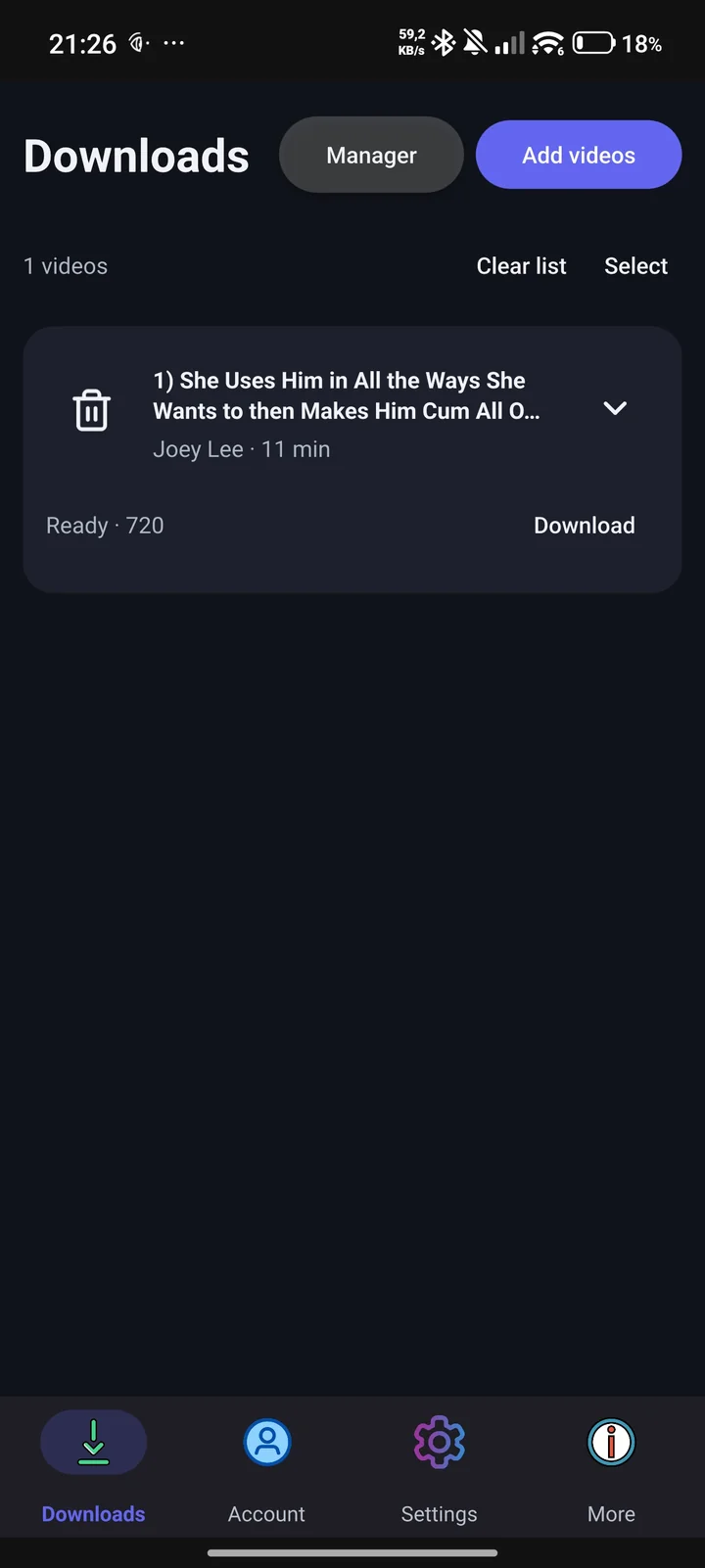
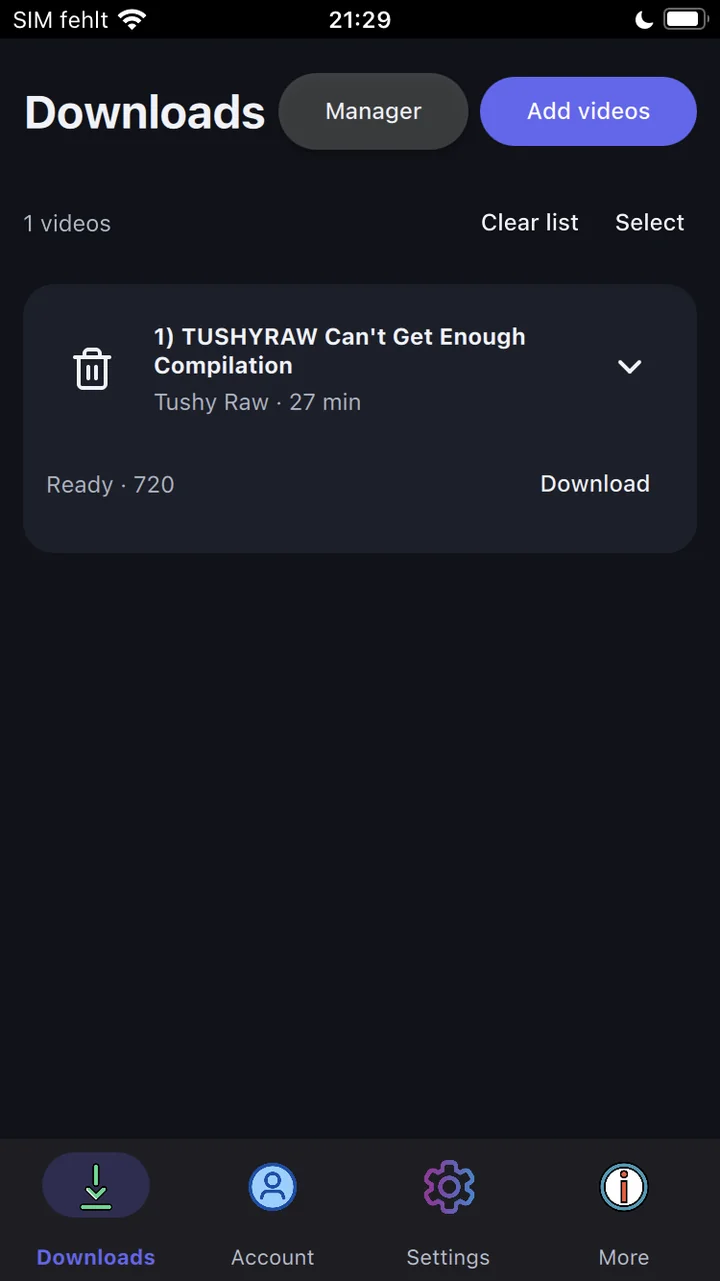
Screenshots from Porn Fetch 3.9.1 show PornHub as an example. Use a EMPFlix link for this guide.
Choose your phone
Android 9+
Install the APK on your phone.
Android download & setup →No Android APK is currently listed. Check the downloads page.
Already installed? Android steps ↓iPhone iOS 15+
PC required to sideload the IPA.
iPhone download & setup →No iPhone IPA is currently listed. Check the downloads page.
Already installed? iPhone steps ↓No website-hosted packages are available right now. Check download availability.
Android walkthrough
Download EMPFlix videos on Android
Use Android 9 or later and an APK compatible with your phone. Installation happens directly on Android.
Android packages & installation instructions →-
Install and open the app
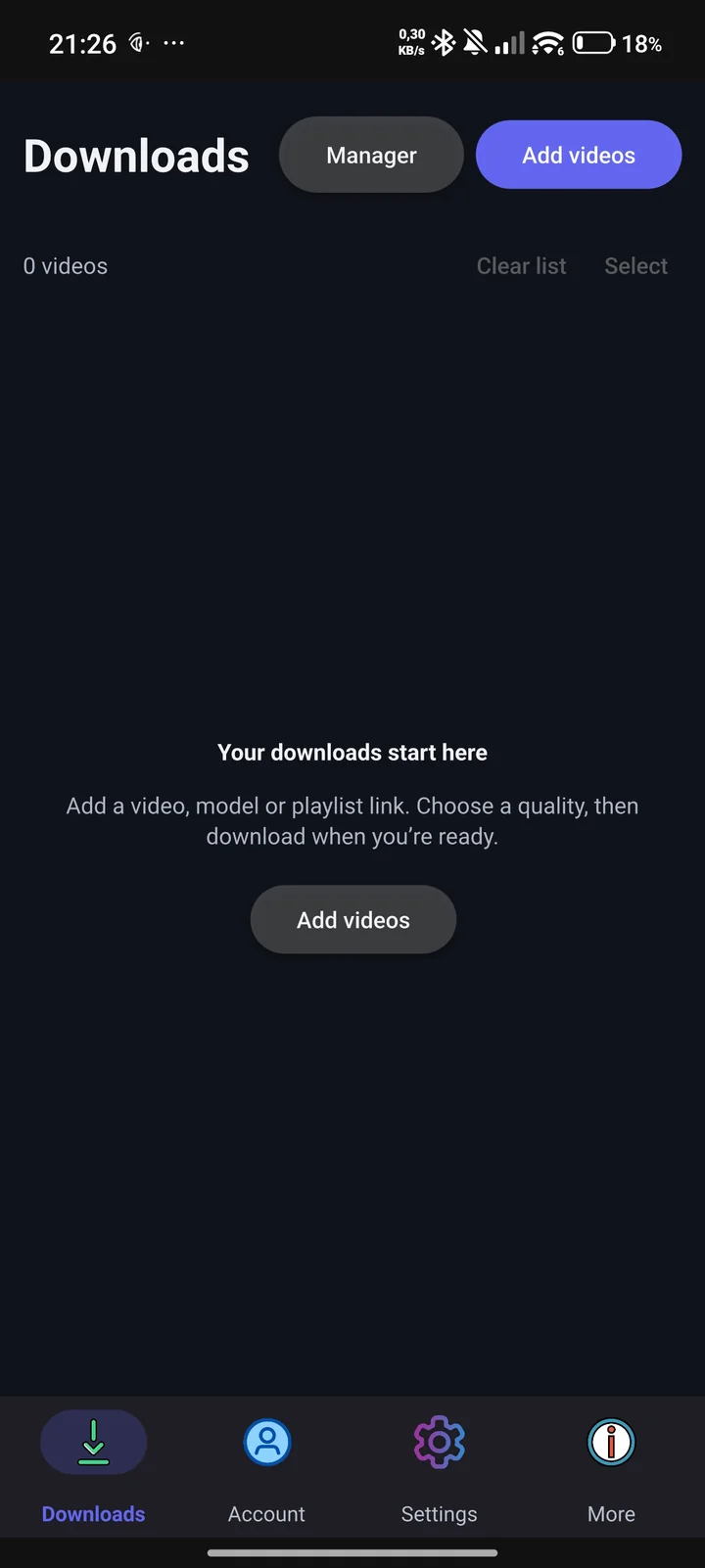
Get the Android APK and open it. Allow installation from your browser or file manager if Android asks. Open Porn Fetch, go to Downloads and tap Add videos.
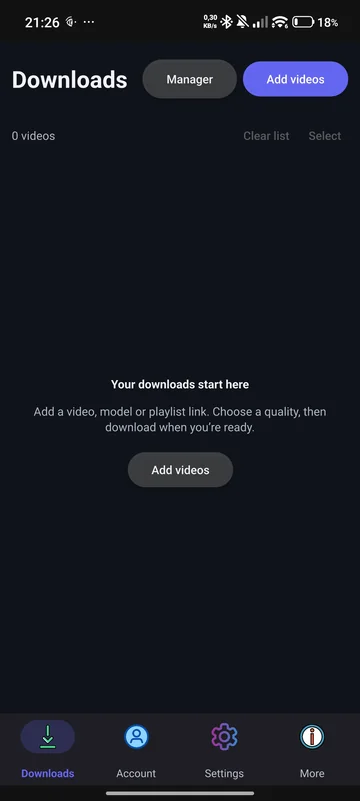
1 · Open Downloads and tap Add videos. Tap the image to view it in full. -
Paste the video-page link
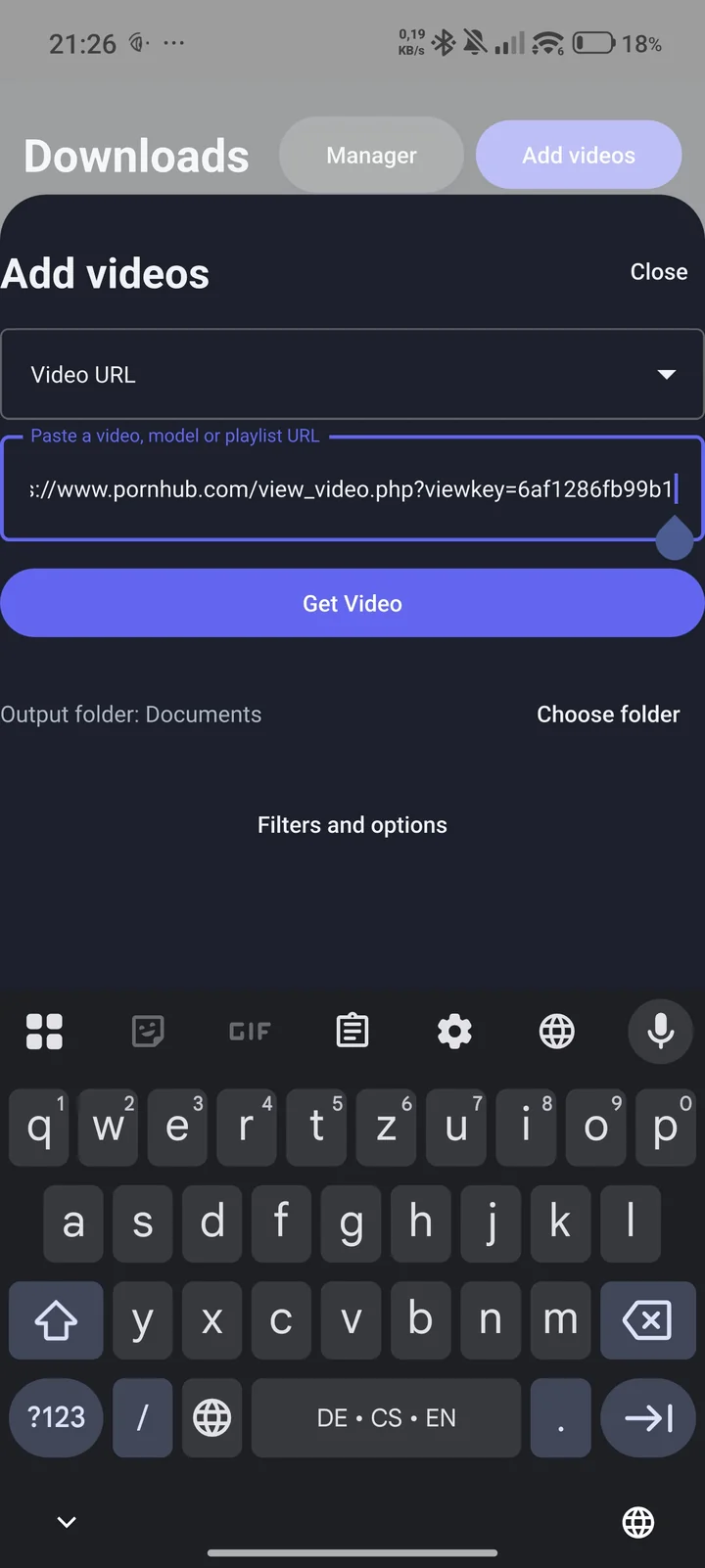
In your browser, copy the complete page address of a EMPFlix video you are authorized to save. In Add videos, select Video URL, paste the address, and tap Get Video.
This fetches the video’s details; it does not start downloading. For a supported profile or playlist, use its corresponding URL type. Check EMPFlix’s supported links below.
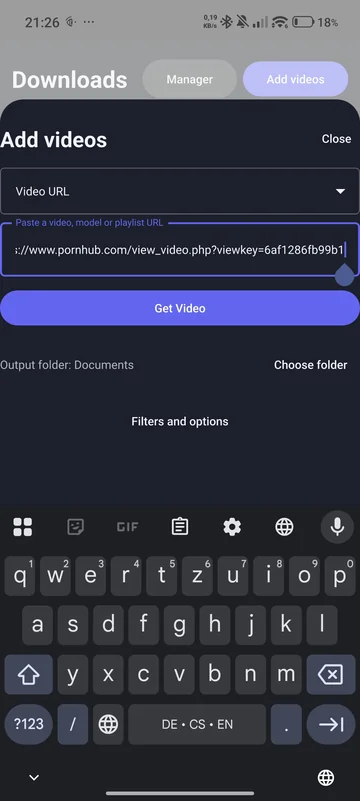
2 · Paste your link and tap Get Video. The screenshot uses a PornHub example. Tap the image to view it in full. -
Choose quality and a destination
Close the add-video panel if it is still open. Expand the video card with its arrow to see the available qualities. Free use supports available streams up to 720p. Higher qualities require Premium and a usable source stream.
In Add videos, check Output folder and use Choose folder to select a destination you can find in your file manager.
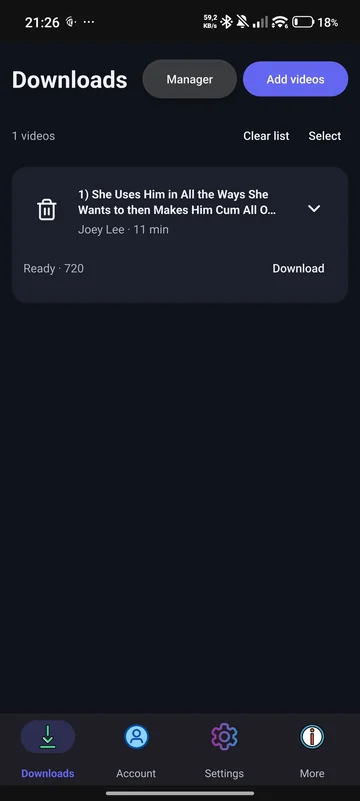
3 · A fetched video is ready at 720p. This is a PornHub example, not a completed download. Tap the image to view it in full. -
Download and find your file
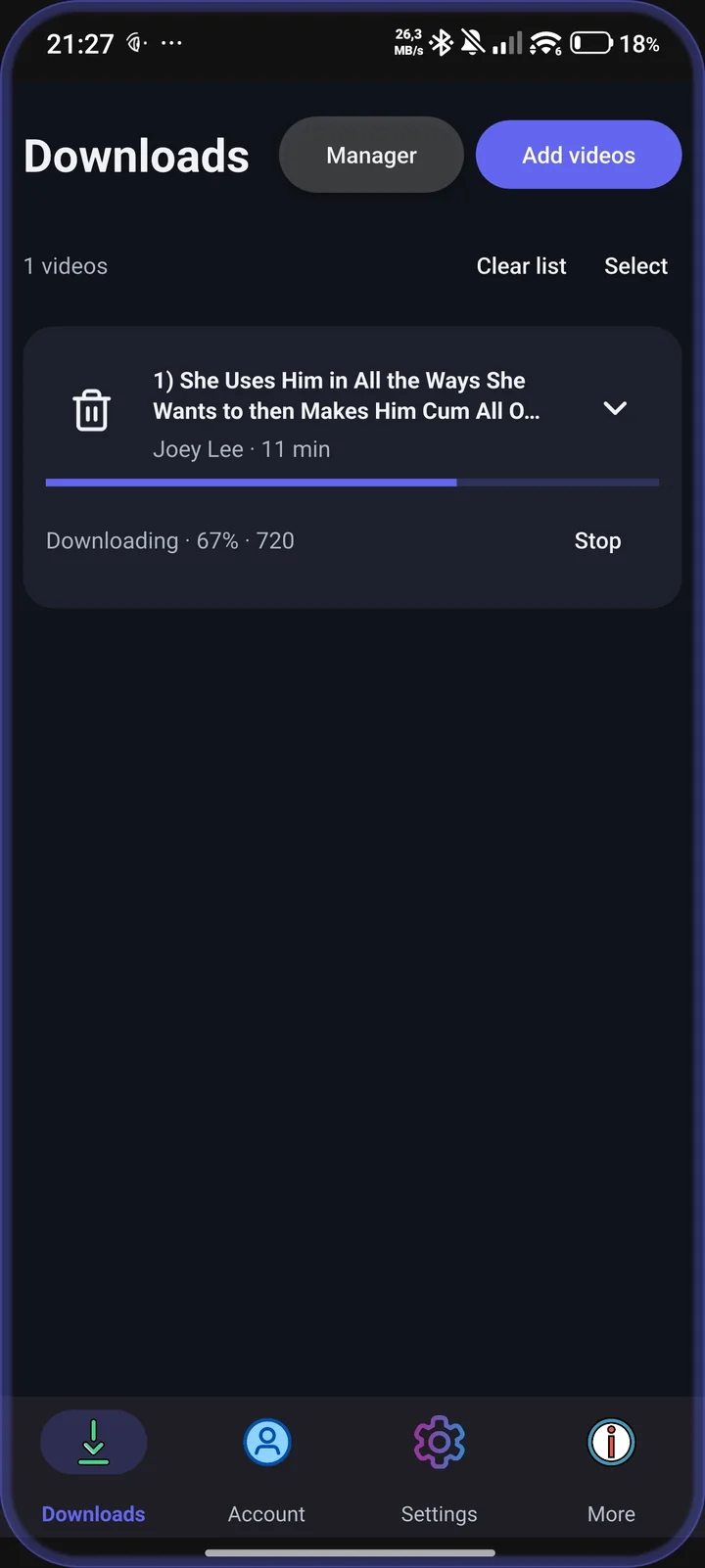
Tap Download on the video card. Wait for the download to finish. A percentage below 100% means it is still running. Files are saved to your selected folder automatically.
Open your phone’s file manager and navigate to the folder you selected. There is no separate per-video Save action.
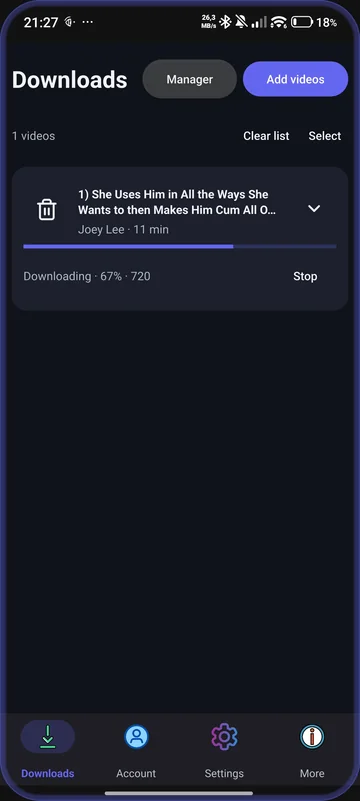
4 · Download in progress. Wait for completion before opening the saved file. Tap the image to view it in full.
iPhone walkthrough
Download EMPFlix videos on iPhone
iPhone setup requires a PC for sideloading. Use iOS 15 or later. Install the IPA with your own Apple account and a compatible sideloading tool; renew signing when required. No jailbreak is needed for the native app.
iPhone packages & installation instructions →-
Install and open the app
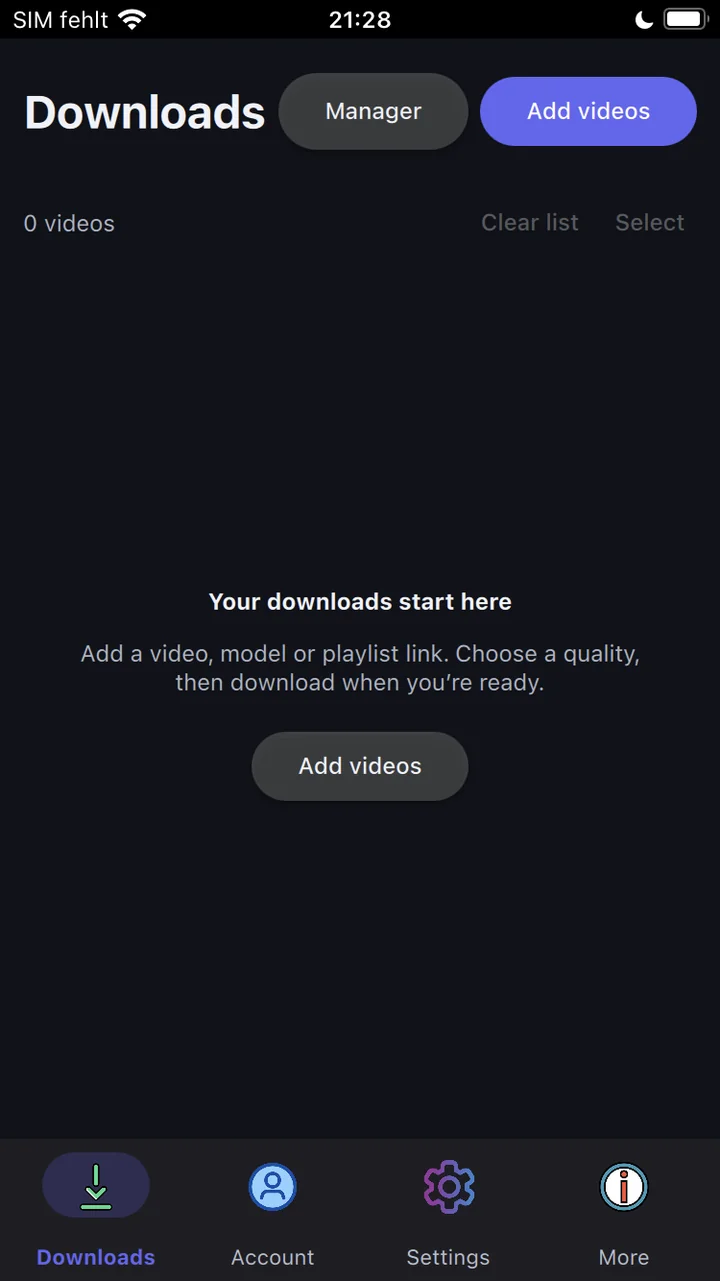
Follow the iPhone installation guide on your PC to sign and sideload the IPA. Open Porn Fetch on your iPhone, go to Downloads and tap Add videos.
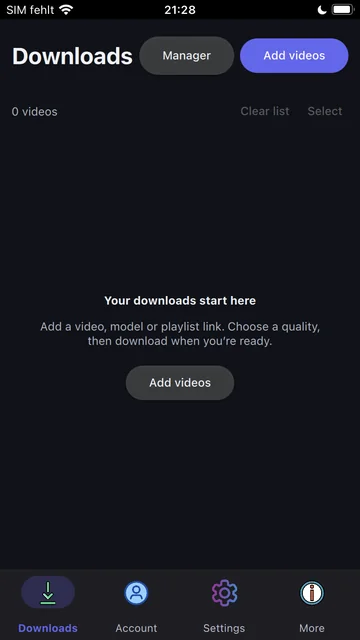
1 · Open Downloads and tap Add videos. Tap the image to view it in full. -
Paste the video-page link
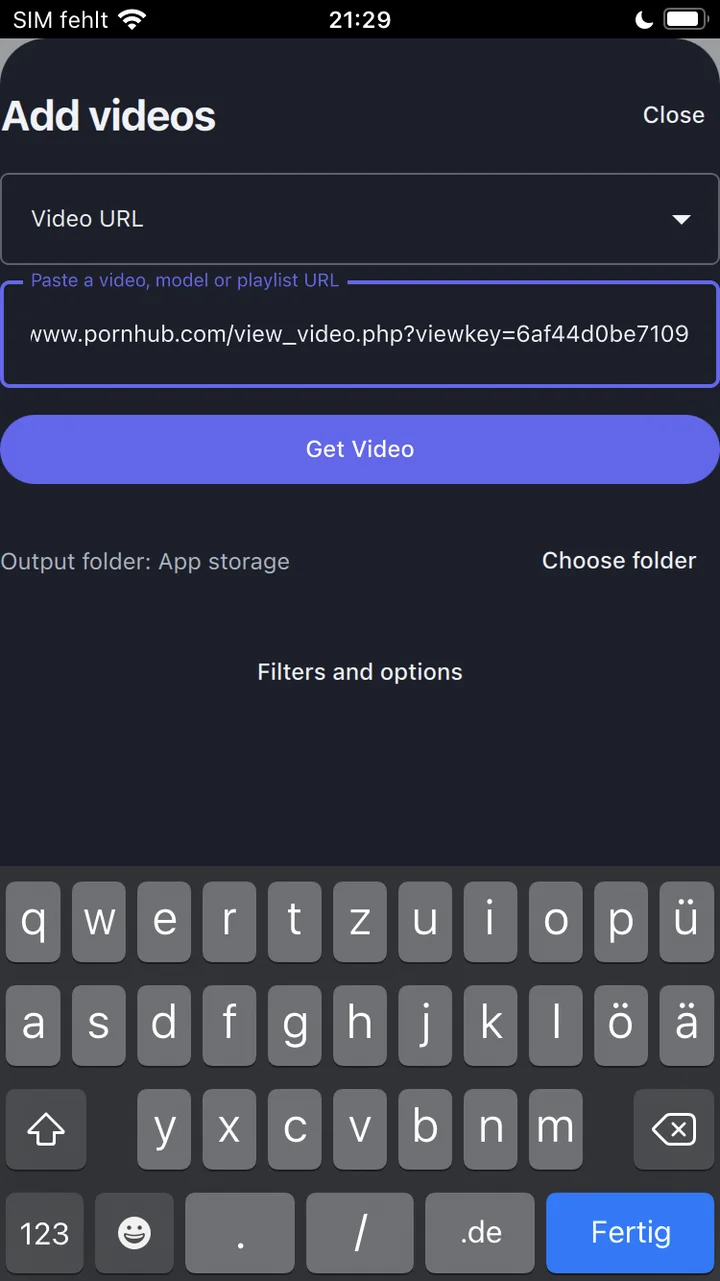
In your browser, copy the complete page address of a EMPFlix video you are authorized to save. In Add videos, select Video URL, paste the address, and tap Get Video.
This fetches the video’s details; it does not start downloading. For a supported profile or playlist, use its corresponding URL type. Check EMPFlix’s supported links below.
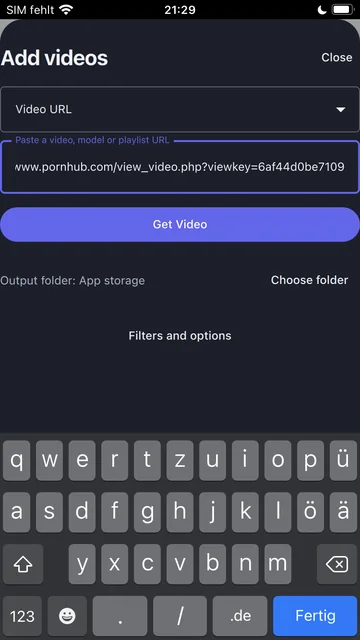
2 · Paste your link and tap Get Video. The screenshot uses a PornHub example. Tap the image to view it in full. -
Choose quality and a destination
Close the add-video panel if it is still open. Expand the video card with its arrow to see the available qualities. Free use supports available streams up to 720p. Higher qualities require Premium and a usable source stream.
Check Output folder in Add videos before starting. “App storage” means the app’s own storage. Use Choose folder to select a different folder.
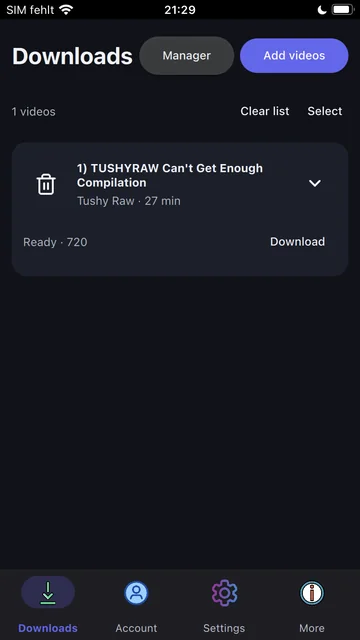
3 · A fetched video is ready at 720p. This is a PornHub example, not a completed download. Tap the image to view it in full. -
Download and find your file
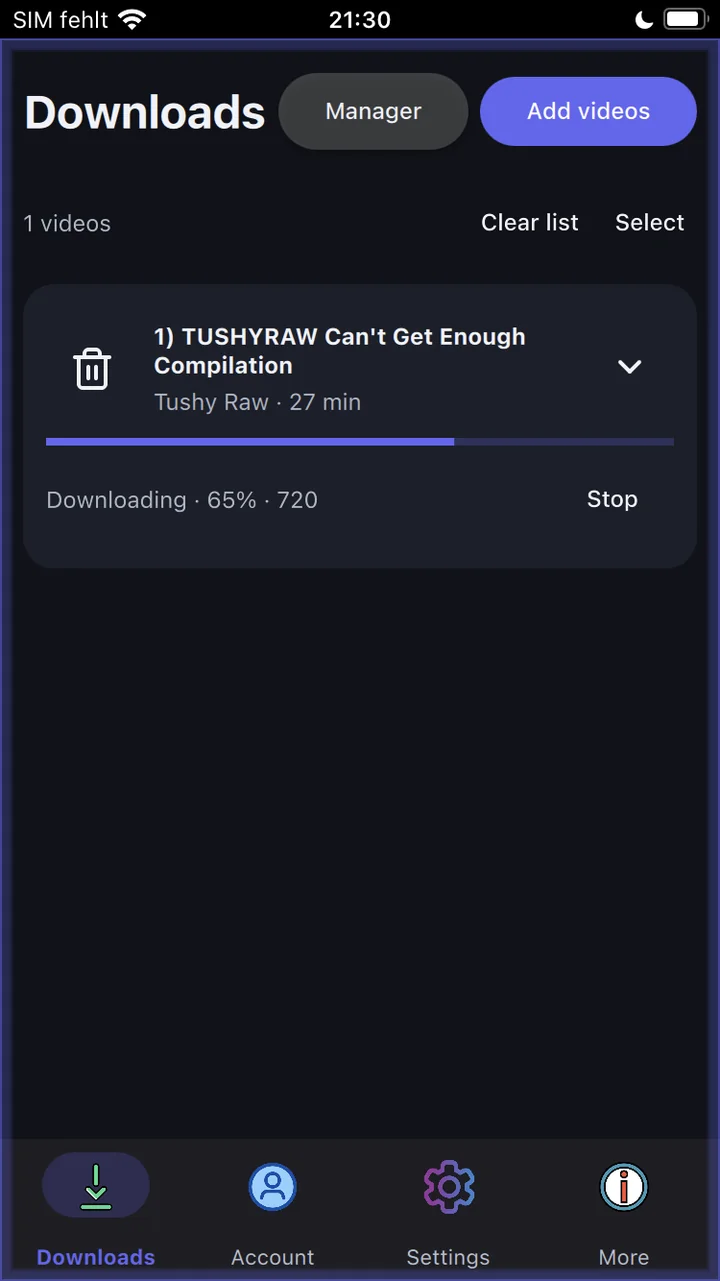
Tap Download on the video card. Wait for the download to finish. A percentage below 100% means it is still running. Files are saved to your selected folder automatically.
For app storage, open the Files app on your iPhone and go to Browse → On My iPhone → Porn Fetch. Check the PornFetch subfolder too. If you chose another folder, look there instead. A download is not automatically added to Photos.
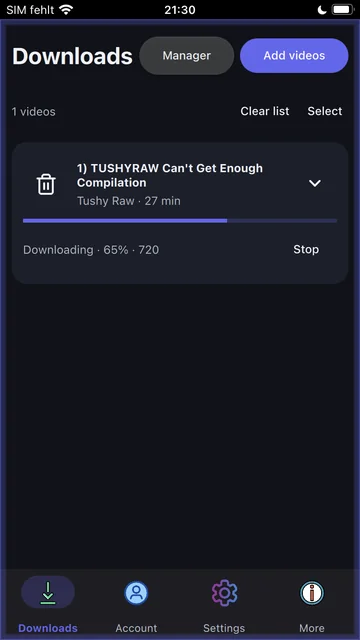
4 · Download in progress. Wait for completion before opening the saved file. Tap the image to view it in full.
Choosing an EMPFlix page URL
The router recognizes supported numeric video paths and legacy video<ID> or title-ID.html video addresses. Copy the full page URL rather than extracting a number from the title or substituting a category link.
Profile, pornstar, and pornstars page forms use Model URL. A performer directory without an individual profile is not enough. EMPFlix playlist downloading, account login, shorts, and photo albums are unavailable.
If the download does not work
Does EMPFlix use the same profile inputs as TNAFlix?
There is overlap, but they are separate providers. EMPFlix supports the documented profile and performer inputs; do not assume that TNAFlix’s channel-page support applies to EMPFlix.
The video loads, but I cannot choose the quality I want
Choose from the streams returned for that video. Qualities above 720p require a valid Porn Fetch license, and the source must expose a usable stream. Premium does not upscale videos or remove website-side restrictions. Read the license activation guide if your purchased entitlement is not active.
A profile or playlist is empty
Check the URL type, Max Result Limit in Settings, and any filters in Advanced Configuration. Free use previews the first five videos of a public model, channel, or playlist before filters are applied; a license is needed for the full collection. Account collections are exempt from this preview. Duration, quality, date, and text filters can remove entries. Some pages also depend on region or account access. Only use the profile and playlist workflows supported for EMPFlix.
The video still fails
Check your app version against the release notes, confirm that the page is accessible in your browser, and try fetching it again. Website changes can break support. If it continues, contact support with the app version, operating system, and exact error. Keep passwords, session tokens, and cookies out of your message.
Download a EMPFlix video on your computer
- Install Porn Fetch. Choose your Windows, macOS, or Linux package. Follow that platform’s installation guide and open the app.
- Copy the video’s page URL. Open the individual EMPFlix video you are authorized to save in your browser and copy the complete page address.
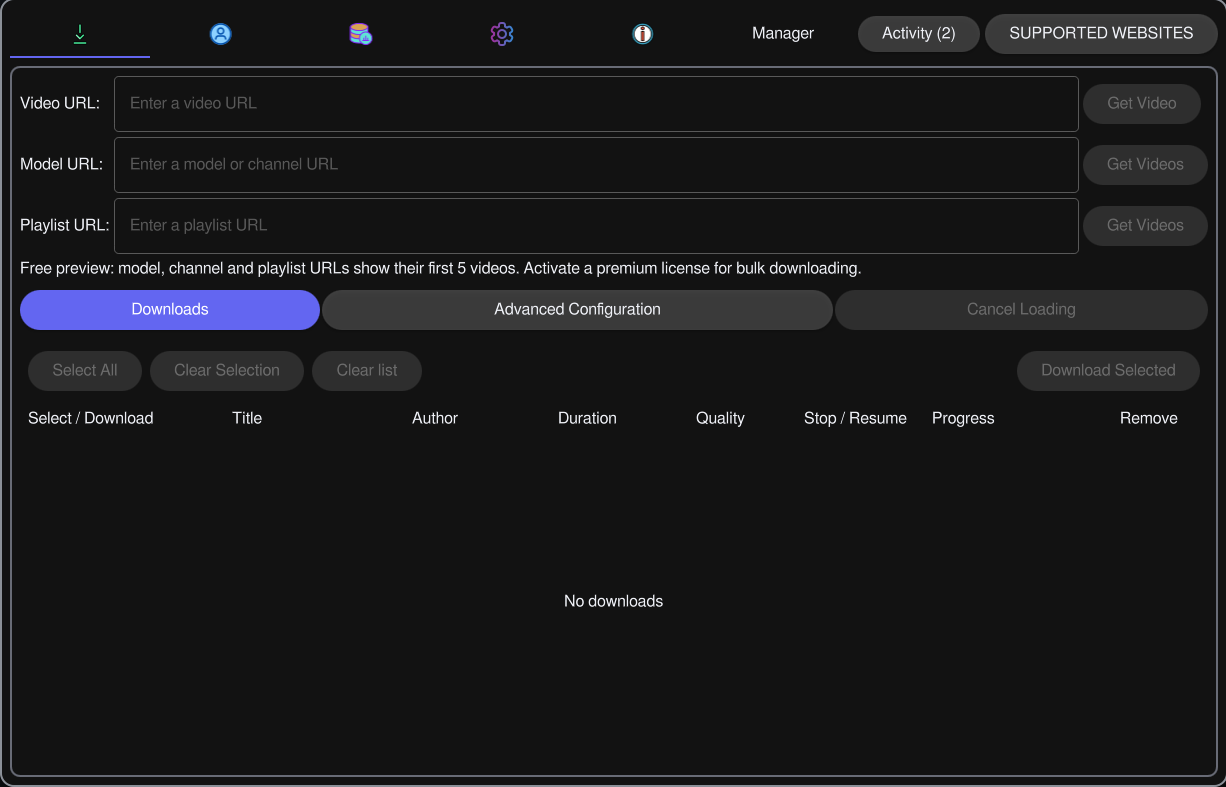
- Fetch the video. In the app’s Downloads page, paste the address into Video URL and choose Get Video. Wait for its details to appear in the list.
- Choose a quality and folder. Use the video row’s quality control to select an available stream. Check Output Path in Settings before starting. Free downloads are limited to available qualities up to 720p.
- Start the download. Choose Download on the video row and wait for completion. Open your configured output folder to find the saved file.
Fetching loads the video into the list; it does not start the download. For several entries, review and select the rows first, then use Download Selected.
Using the command line
Set up the Porn Fetch CLI for your system and open its interactive menu. Choose Download Single URL for an individual video, paste its full address, and follow the prompts. Use Settings & Configuration to check your output folder and preferred quality.
For supported profiles or public playlists, choose Scrape Profile / Playlist instead. Provider-specific restrictions above still apply.
Android CLI setup uses Termux. These command-line instructions are separate from the native iPhone app walkthrough above.
Access and responsible use
For adults 18+. Download only content you are authorized to save and respect the source website’s terms and applicable law. A Porn Fetch license does not grant rights to third-party content or access to a website account.
Porn Fetch is an independent project and is not affiliated with EMPFlix. Downloads run on your device; network, website, and account services still have their own data handling. See the privacy policy and legal statement.